

Making Tax Digital for Locum GPs: What Changes, What Doesn't, and How to Stay On Top of It
What MTD for Income Tax actually requires, the bits that are specifically awkward for locum work, and how to set yourself up so each quarterly update is a five-minute job rather than a weekend of receipt archaeology.
Are you in scope?
Making Tax Digital for Income Tax (MTD for IT, or MTD ITSA) went live on 6 April 2026. If you are a self-employed locum GP with gross income over £50,000, you are already caught by it. The first quarterly update was due on 7 August 2026, and the next one is due on 7 November.
If you are under that threshold you are not off the hook for long. The bar drops to £30,000 from April 2027 and £20,000 from April 2028, so almost every working locum will be inside the regime within two years.
| Qualifying income over | You join from |
|---|---|
| £50,000 | 6 April 2026 |
| £30,000 | 6 April 2027 |
| £20,000 | 6 April 2028 |
Three things catch locums out here.
1. The test is gross income, not profit. HMRC looks at your turnover before any expenses. A locum billing £68,000 who actually nets £44,000 after indemnity, mileage, subscriptions and pension is comfortably in the first cohort. Profit is irrelevant to the test.
2. It is your combined self-employed and property income. Locum fees, out-of-hours work, appraisal work, private and medico-legal work and any rental income are added together. Two modest income streams can push you over a threshold that neither would breach alone.
3. Employed sessions do not count towards the threshold, and do not need reporting quarterly. If you are part salaried and part locum, only the self-employed side is qualifying income and only the self-employed side goes into quarterly updates. Your PAYE income still turns up at year-end in the final declaration.
HMRC decides your start date from the most recent Self Assessment return it holds. For the 2026/27 cohort, that was your 2024/25 return. And from September 2026 HMRC has started signing people up automatically where they should be in MTD but have not registered themselves, so "I never signed up" is not a strategy.
The employer pension contribution is not your income
If you collect the 14.38% employer contribution from practices, it does not belong in your turnover, and it should not be inflating your qualifying income for the MTD threshold test.
The practice is legally liable for that contribution. You collect it, you add your own employee contribution to it, and you forward the lot to PCSE. You are a conduit, not the recipient. The cleanest test is what happens if you decide not to pension a piece of work: NHSBSA's position is that you return the money to the practice. Money you have to hand back the moment you stop using it for its single designated purpose was never yours to begin with.
There is a second argument that points the same way. The practice gets the tax relief on the employer contribution, because it is the practice's cost. You are not entitled to relief for it. But grossing it up into your turnover and then deducting the onward payment is, in substance, claiming relief for it. The two treatments are not equally defensible just because they happen to produce the same taxable profit.
Handled properly it is a pass-through: through your bank account, outside your profit and loss, and outside your quarterly MTD income totals. Your invoice should still itemise it clearly, showing fee, pensionable pay, employer contribution and total, because the practice and PCSE both need to see it. The locum invoice generator sets it out that way.
Two practical consequences:
- It changes which MTD cohort you are in. On a fee-only turnover of £47,000, grossing up the employer contribution adds roughly £6,000 and drops you into the 2026/27 cohort a full year early, for money that was never yours. The same distortion has long inflated locums' SA302s relative to colleagues doing identical work, which matters for mortgage applications, but the MTD threshold is the version that carries a filing obligation.
- HMRC assesses your start date from the return already filed. If previous returns grossed it up, you may be enrolled earlier than you should be, and correcting the treatment going forward does not automatically unwind that. Worth raising with your accountant now rather than at your first deadline.
HMRC has never published anything addressing this directly, which is why you will still find accountants, usually non-specialists, running it through turnover. If yours does, ask them to justify it.
The mechanics of the 14.38%, the 90% pensionable figure and the forms it all flows through are covered in the locum GP pension guide.
What MTD actually requires
Three obligations, none of them optional.
Digital records. Every item of business income and expenditure from 6 April 2026 has to be recorded digitally, at transaction level, as you go. A shoebox of invoice PDFs and a bank statement you reconcile each June is no longer compliant, even if the final numbers are right.
Four quarterly updates. Cumulative totals by HMRC expense category, submitted through MTD-compatible software.
| Quarter | Period covered | Deadline |
|---|---|---|
| Q1 | 6 Apr – 5 Jul | 7 August |
| Q2 | 6 Apr – 5 Oct | 7 November |
| Q3 | 6 Apr – 5 Jan | 7 February |
| Q4 | 6 Apr – 5 Apr | 7 May |
Note that the updates are cumulative. Each one states the year to date. If your Q1 figures were rough, the corrected numbers in Q2 supersede them. That is a genuine relief, and it means an imperfect early submission is far better than a missed one.
A final declaration, replacing your Self Assessment return, due 31 January after the tax year ends. For 2026/27 that is 31 January 2028. This is where employment income, pension contributions, dividends, gift aid and all the year-end adjustments go. None of those are required in the quarterly updates themselves.
What doesn't change
You do not pay tax four times a year. Quarterly updates are information only. Payment dates are still 31 January and 31 July, with payments on account exactly as before. And the annual return has not disappeared. It has been rebadged as the final declaration, with four updates bolted on in front of it.
Penalties
2026/27 is a soft landing year: HMRC has confirmed no penalty points for late quarterly updates for the first cohort. That grace does not extend to the final declaration or to late payment of tax, and it does not apply to the £30,000 cohort joining in April 2027.
Beyond the soft landing the regime is points-based: one point per late update, £200 charged at four points, then £200 for every further late submission until the points clear.
Why this is harder for locums than for most sole traders
A jobbing sole trader has a handful of clients and one bank feed. A locum GP has:
- Dozens of payers. Fifteen practices, three OOH providers, a few appraisal fees, all paying on different timescales, some of them late, some of them incorrectly.
- Mileage as a major expense. Sessions at multiple sites across a patch, often several practices in a week. Mileage is frequently the single largest deduction, and it is the one most likely to be under-claimed because nobody writes down the odometer.
- NHS pension admin running alongside. Form A and Form B, the employer contribution passing through your account, the 10% notional expenses deduction, deadlines with PCSE. None of it is part of MTD, all of it depends on the same underlying session records.
- No desk. You are recording a car park fee at 7:45am between sites, not sitting at a laptop.
The practical consequence is that the MTD burden for locums is almost entirely a data capture problem, not a filing problem. If your sessions, invoices, expenses and mileage are captured accurately as they happen, the quarterly update is a summing exercise. If they are not, no software will save you.
What to record, and how
Income. Every invoice: date, practice, session detail, fee, whether it is pensionable, whether employer contributions were added, and when it was paid.
Expenses, categorised the way HMRC wants them. The usual locum list:
- Indemnity (MDU, MPS, MDDUS)
- GMC, BMA, RCGP, appraisal and revalidation costs
- CPD, courses, conferences, journals and subscriptions
- Accountancy and professional fees
- Mobile, broadband and software, business proportion only
- Equipment: otoscope, laptop, bag, usually via capital allowances
- Use of home as office
- Motor expenses and mileage
The GP locum tax guide goes through what each of these covers, and the locum tax calculator will tell you what the resulting profit costs you in tax and National Insurance.
Free to start — on iPhone, Android and the web
Records kept as you go, not in March
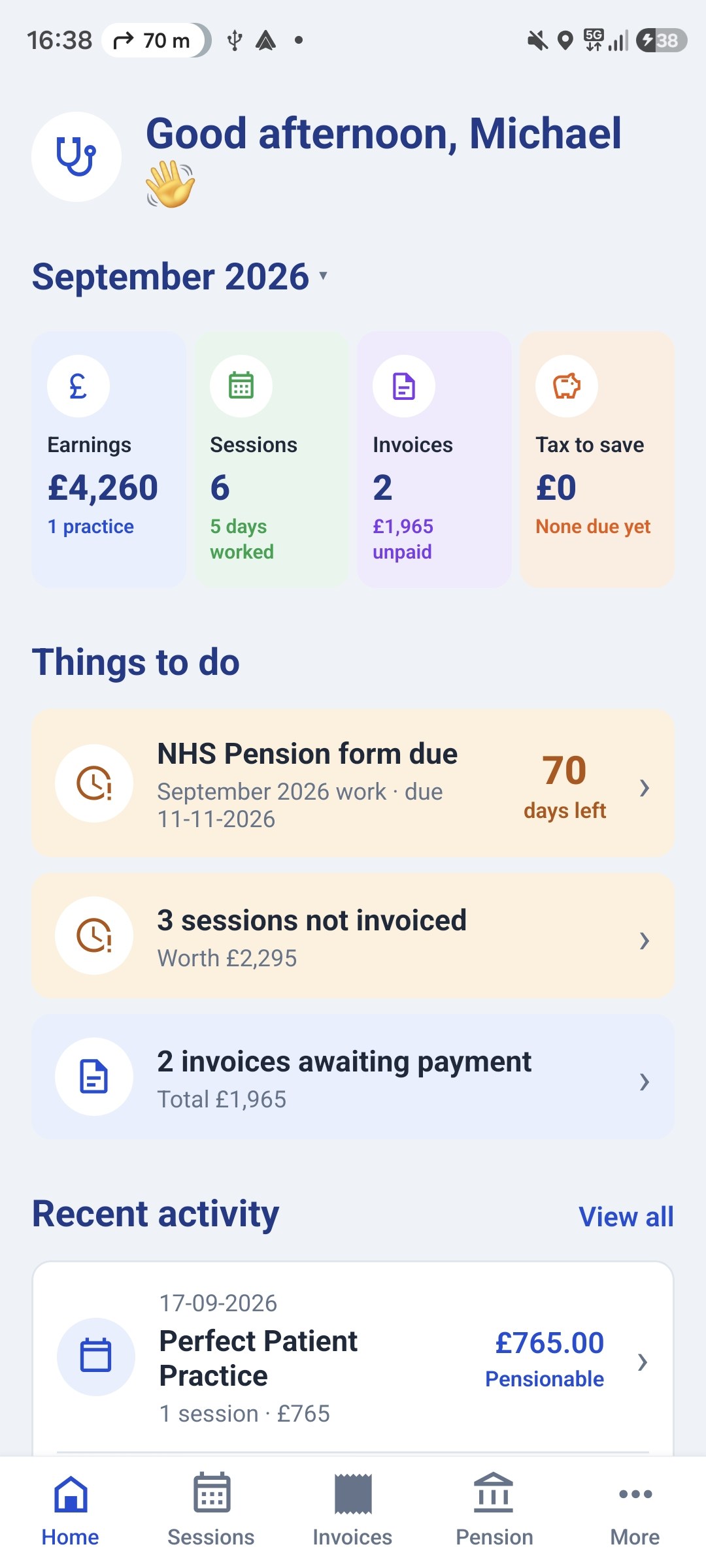
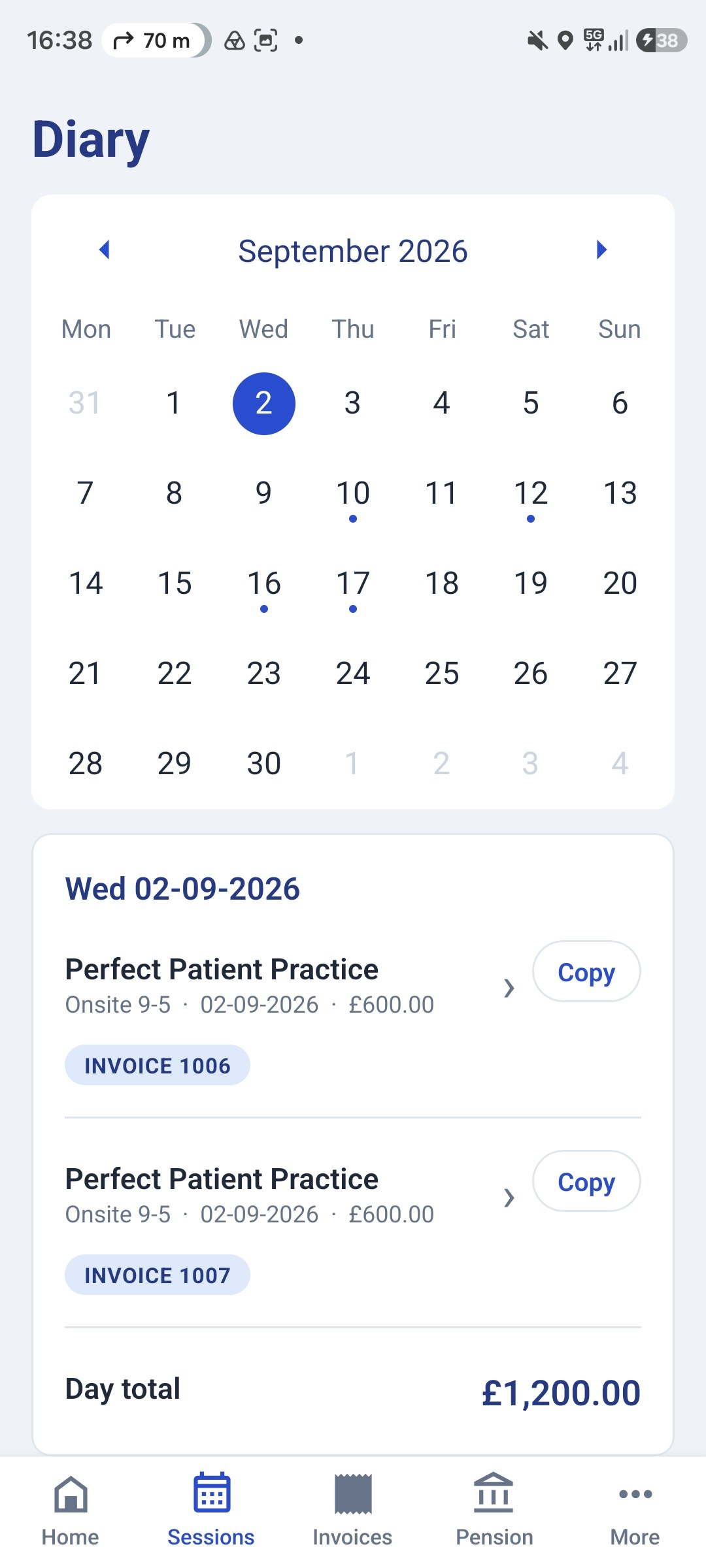
GP Locum logs each session, journey and expense as it happens and categorises them for your tax return, so the records Making Tax Digital asks for are already there when a quarter closes. On your phone and on the website.


Use of home as office
Two methods here, and you can pick whichever is better for you.
The simplified flat rate is based on hours of business use at home per month:
| Hours per month | Monthly claim | Annual (12 months) |
|---|---|---|
| 25–50 | £10 | £120 |
| 51–100 | £18 | £216 |
| 101+ | £26 | £312 |
Under 25 hours in a month, nothing is claimable under this method for that month. The tiers are assessed month by month, so a light month does not drag down a heavy one. No receipts, no apportionment calculation, no argument with HMRC. It also does not cover phone or broadband, which you claim separately on a business-proportion basis, and it does not cover rent, mortgage interest or council tax.
Actual costs means apportioning your real household running costs by the space used and the time it is used for business: heating, electricity, water, and a share of rent or mortgage interest and council tax if you are claiming those. It is more work and you need the bills, but for anyone doing substantial hours at home it usually beats £312 a year, as the flat rates have not moved in years while energy prices have.
For locums, the honest question is how much you actually do at home. If it is invoicing, Form A and Form B, CPD and appraisal prep, you are probably in the £10–£18 bands and the flat rate is the sensible choice. If you do remote triage or telephone sessions from home, your hours climb fast and actual costs will almost certainly win.
Two practical notes. You can choose your method for home costs independently of your method for the car. There is no requirement to be consistent across categories. And unlike vehicles, you can switch between flat rate and actual costs from one tax year to the next, so this is not a decision you are locked into.
One caution on the actual-cost route: avoid using a room exclusively for business, which can compromise private residence relief on that proportion when you sell. Shared use is both realistic and safer.
Mileage
This changed in 2026 and a lot of locums have not noticed. The approved mileage rate for cars and vans rose from 45p to 55p per business mile for the first 10,000 miles in the tax year, announced in May 2026 and backdated to 6 April 2026. It is the first increase since 2011. The rate above 10,000 miles stays at 25p, motorcycles stay at 24p and bicycles at 20p.
For a locum doing 9,000 business miles a year, that is £900 of extra deduction over the old rate, for exactly the same driving. If your records or your spreadsheet are still applying 45p you are under-claiming, and if you are mid-year, journeys from 6 April 2026 onwards all qualify at the new rate.
The alternative is claiming actual running costs apportioned for business use. You pick one approach per vehicle and stick with it for as long as you own that vehicle, so it is worth doing the sums once. At 55p, simplified mileage has become considerably more attractive for most locums driving a reasonably economical car.
Whichever you choose, HMRC expects a contemporaneous record: date, start and end point, purpose and mileage. Travel between practices in a day is clearly business travel. Home-to-practice journeys are the area where locums most often get advice that conflicts. It turns on whether your home is genuinely the base of your business, and whether a given practice looks like a regular workplace. If you work at the same surgery every Tuesday for two years, be cautious. Ask your accountant rather than assuming.
Software: what actually counts
To file, you need software HMRC recognises. You have three broad routes.
- A full cloud accounting package, such as Xero, FreeAgent, QuickBooks and similar. Powerful, but built for businesses with stock, VAT and payroll. Most of it is dead weight for a locum, and none of it understands Form A.
- Bridging software. You keep records digitally, commonly in a structured spreadsheet or in another app, and the bridging tool reads the totals and submits them to HMRC. This is entirely legitimate, and is how a lot of locums file, bridging through services such as My Tax Digital, MTD Bridge or 123 Sheets.
- A locum-specific app that feeds a bridging tool. Capture designed around sessions and mileage, with the compliant submission handled by recognised software.
Route 3 is what I am building GP Locum for.
The GP Locum app: capture the data once, use it everywhere
The calculators on this site have always been about doing the maths for you. GP Locum, my app for locum admin, takes the same approach to the record-keeping. It is free to start, on the App Store for iPhone, on Google Play for Android, and on the website.
What it does:
- Sessions. Log each session as you book it, with the practice, the rate and whether it is pensionable.
- Invoices. Raise invoices from those sessions, with the employer pension contribution on its own line, and track what is sent and paid.
- Mileage log. The app already knows every day you worked and where, so it builds the log for you from your diary, at 55p a mile for the first 10,000 business miles and 25p after that. Enter each practice's distance yourself, or let GP Locum Pro work out the road distance from home. Mileage is often a locum's largest deduction, so it is the record most worth getting right.
- Pension forms. Form A and Form B filled in from the sessions you have already logged. Part of GP Locum Pro.
- MTD quarterly updates. Income and expenses totalled into HMRC's categories for the cumulative period. Part of GP Locum Pro.
On filing: the app is not itself HMRC-recognised software, and I am upfront about that. It builds each quarterly update, then makes the workbook that bridging software such as 123 Sheets or My Tax Digital imports and submits to HMRC for you. You get locum-shaped data capture and a compliant filing route, without paying for a full accounting package.
On your data: you never have to sign in, and without an account everything stays on your phone. Sign in and your records also sync to the website, with your bank and ID details locked on your own devices before they leave the phone. The privacy policy sets out the detail.
Free to start — on iPhone, Android and the web
Quarterly updates without the spreadsheet
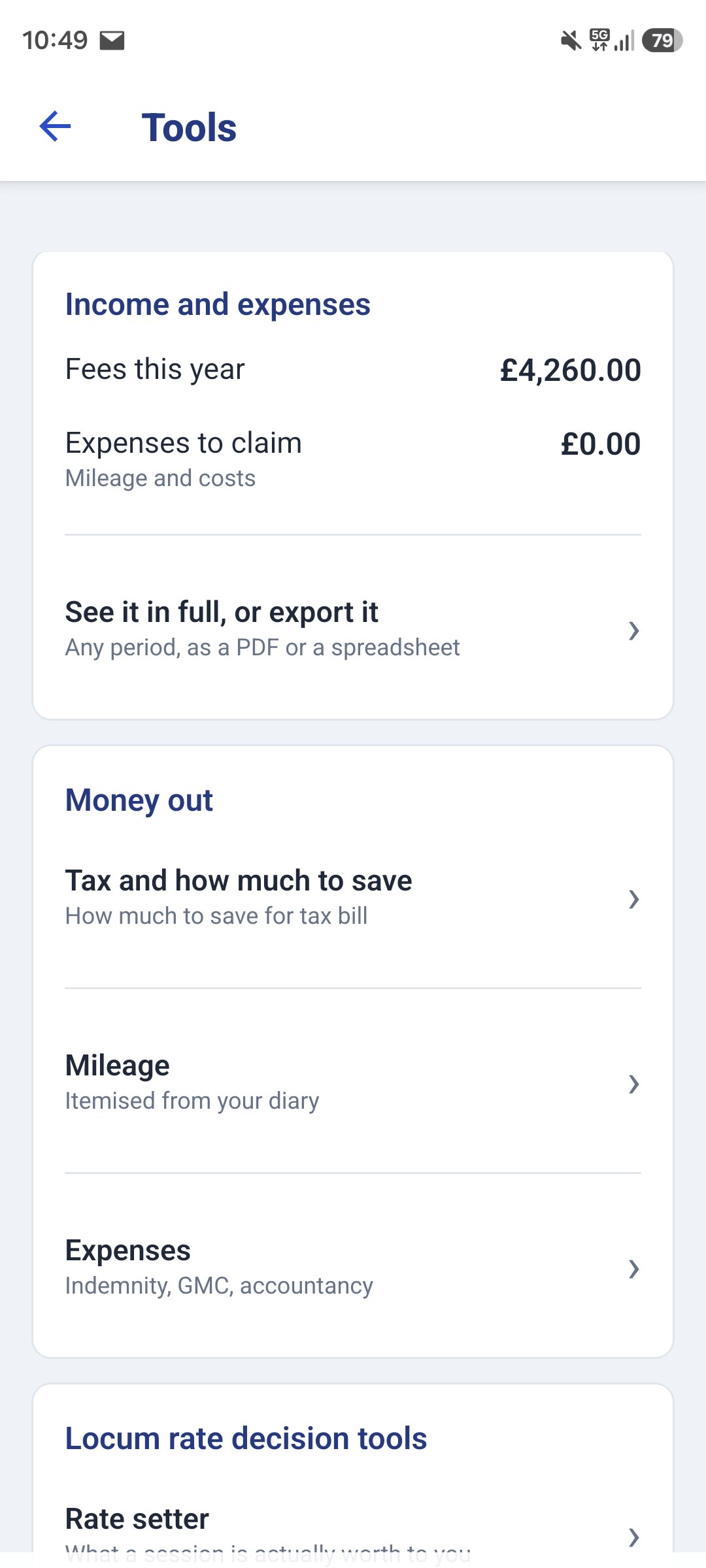
GP Locum logs your sessions, mileage and expenses as you go, and builds each Making Tax Digital quarterly update from them, ready for bridging software to send to HMRC. On your phone and on the website.
A practical checklist
- Check your last Self Assessment return for gross self-employed plus property income, and work out which cohort you are in.
- If you are in the 2026/27 cohort, confirm you are signed up, or that HMRC has signed you up.
- Get every transaction from 6 April 2026 into a digital record, even if you are catching up.
- Decide your mileage method, simplified or actual, before you build up a year of records.
- Pick your filing route and test it on a quarter that does not matter. Use the soft landing year for exactly this.
- Put 7 November, 7 February and 7 May in your calendar now.
- Agree with your accountant, if you have one, who presses the button each quarter. Plenty of locums do the records and hand over the filing; that is fine, as long as somebody owns it.
The first year is the expensive one in terms of time. Set the habit up properly now, while late updates carry no penalty points, and 2027/28 onwards becomes routine.
Sources and what to check each year
The thresholds, quarterly deadlines and penalty structure here follow HMRC's published MTD for Income Tax guidance. The mileage, home-office and expense figures follow HMRC's rates and simplified expenses guidance. Both are reissued and amended regularly, so check the current version rather than this page:
- Using Making Tax Digital for Income Tax, GOV.UK, for scope, thresholds, signing up and the update deadlines
- Find software compatible with Making Tax Digital for Income Tax, GOV.UK, the only definitive list of what you can actually file with
- Travel, mileage and fuel rates and allowances, GOV.UK, for the approved mileage rates
- Simplified expenses if you're self-employed, GOV.UK, for the flat-rate home working bands
A note on advice
This article is general information for UK GP locums, not personal tax advice. Rules change and individual circumstances vary, particularly around NHS pension treatment and travel expenses. Please check anything material with a medical specialist accountant.
Try the calculators
Locum Tax Calculator
Work out what to set aside from your locum fees for tax and National Insurance.
Open tool →Locum Invoice Template and Generator
A free GP locum invoice template. Build and download a professional PDF invoice for a practice, with your bank details, session rates, and the optional NHS pension employer contribution line.
Open tool →Locum Form A & Form B Filler
Fill the official NHS Pensions locum forms, the 90%, the 14.38%, every Form B total, and a warning before the 10-week deadline passes.
Open tool →Know when these figures change
The rates here go out of date every April. Leave your email and I'll keep you updated on changes to these figures for the new tax year and any related GP finance news, pensions, tax and locum money. Unsubscribe any time.